
Enable tracking in your theme
1
Enable the tracker app embed
In Shopify admin, go to Online Store → Themes → Customize. Open the App embeds tab and switch on Product Insights Tracker, then save the theme.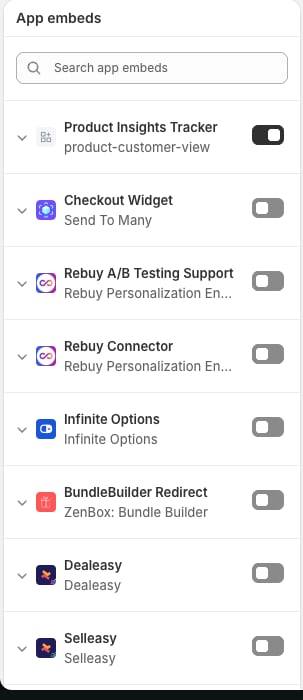
2
Add the Live View Counter block
Still in the theme editor, open your product template and add the Live View Counter block where you want the count to appear — under the price or next to the buy buttons works well.The block has its own settings: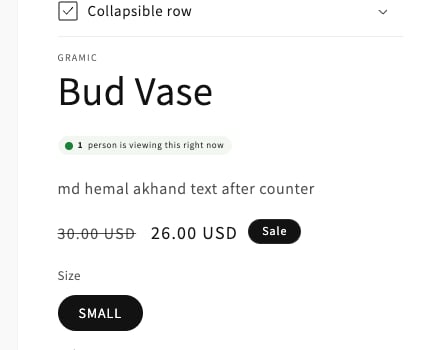
- Label — the text shown after the count. Default: “people are viewing this right now”.
- Dot color, text color, background color — match the pill to your theme.
3
Confirm in the app
Open Live Product Insights and go to Settings → Theme setup. The card repeats these steps and includes a button that opens your theme editor directly.
Visitor consent
The tracker respects Shopify’s Customer Privacy API. It sends data only from visitors who have consented to analytics processing. On storefronts without a consent API, collection proceeds normally.Why the counter stays hidden
The Live View Counter shows a real count or nothing at all — it never displays “0 people viewing”. When a product has no active viewers, the counter is removed from the page entirely, and it reappears within seconds of someone opening that product.An active viewer is a shopper with a product page currently open. Their browser sends a heartbeat every few seconds, and they stop counting shortly after leaving or closing the tab. The default presence window is 60 seconds and is adjustable in Settings.