
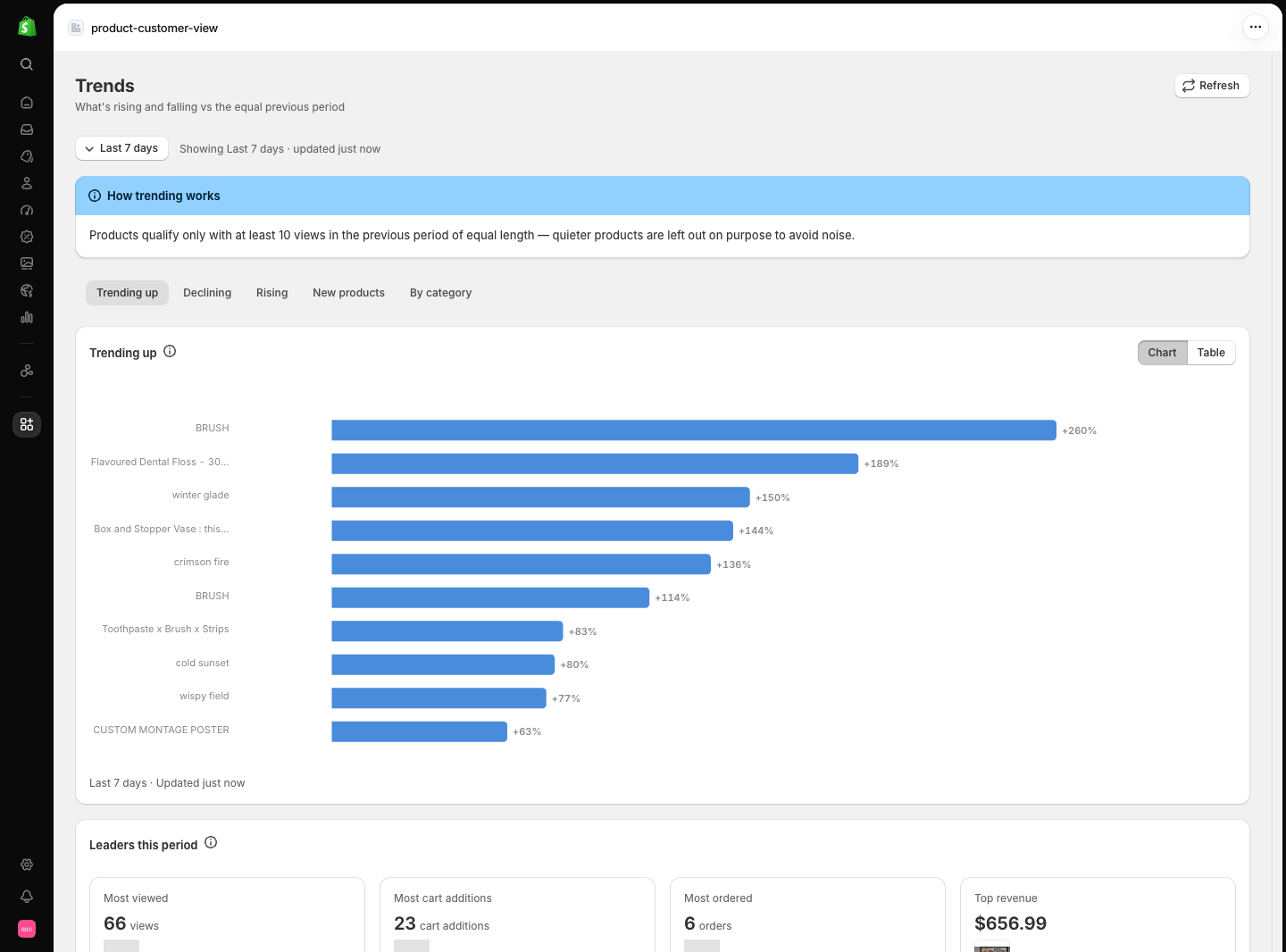
How trending works
A product only qualifies for a trend label when two conditions hold:- Enough history. The product needs at least 10 views in the previous period. Below that, the data is too quiet to judge, and the product is excluded rather than guessed about.
- A meaningful change. Trends are declared at ±30% or more between the two windows.
The Trends page states these rules on the page itself, next to the data. If a tab is empty, the reason is on screen — usually “no product grew 30% or more” in the selected window.
The five tabs
- Trending up
- Declining
- Rising
- New products
- By category
Products whose views grew 30% or more versus the previous equal-length window, ranked by percentage change. This is the strongest popularity signal in the app.
Leaders this period
At the bottom of the page, four leader cards show the current period’s best product by views, cart additions, orders, and revenue. They are deliberately separate: the most-viewed product is often not the top earner.Limitations
- Small or quiet catalogues can leave tabs empty — the qualifying thresholds (10 prior-period views, ±30% change) are applied exactly as described, and the page says so when nothing qualifies.
- Category grouping uses the product category or product type. Collections are not used for grouping.
- The date filter does not change the new-products definition (always created in the last 30 days).
Related pages
- Metric definitions — the exact thresholds and comparison rules.